
Getting Started with MX Data Loggers
Follow the basic steps for setting up a HOBO MX data logger, configuring it in HOBOconnect, viewing current conditions, downloading and sharing data, and connecting logger data to the cloud.
Get StartedHOBO MX Multi-Channel data loggers collect time-stamped data from multiple indoor environmental and equipment measurements in one system. Flexible sensor inputs allow you to monitor related parameters together and compare how conditions change over time.
Use Bluetooth and the free HOBOconnect app to configure compatible loggers, view current conditions, and download data from a mobile device or Windows computer.

HOBO MX Multi-Channel data loggers combine flexible measurement options with convenient wireless access for indoor building, equipment, and environmental monitoring.
Common applications include: HVAC/R performance testing and troubleshooting, building commissioning, energy audits, equipment scheduling, and storage monitoring.
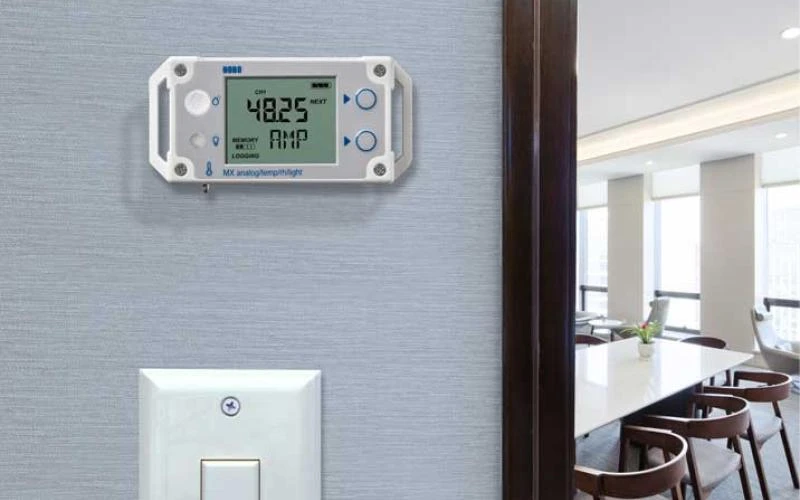
HOBO Self-Describing sensors automatically communicate configuration information to compatible HOBO MX Multi-Channel data loggers. Sensor parameters stored inside the sensor reduce manual configuration and help support fast, consistent deployment.
Integrated strain relief and a locking jack help secure the sensor connection during deployment. Compatible non-Self-Describing analog sensors can also be used, but they must be selected and configured in HOBOconnect.
Configure a monitoring system around the parameters that matter to your application. Measurement availability depends on the logger model and connected sensor or input cable. The MX1104 includes built-in temperature, relative humidity, and light-intensity sensors plus one external analog input, while the MX1105 provides four external analog inputs.
Environmental Conditions
Electrical and Process Signals
Pressure and Flow
* Self-Describing sensor available

Use Bluetooth to find and connect to compatible HOBO MX data loggers within range. Configure settings, start or stop logging, and check logger status using your mobile device or Windows computer.
View current conditions from nearby loggers before downloading the complete data file. Quickly check measurements and logger status during initial setup or routine site visits.
Save time by downloading data from multiple HOBO MX loggers in bulk. Store data files in HOBOconnect, then export and share them in supported formats for additional analysis or recordkeeping.
Customize logging intervals, start options, alarms, and other settings based on the requirements of your deployment. You can also configure or clear audible alarms for compatible loggers.
Graph downloaded logger data directly in HOBOconnect to review trends and identify changes over time. Visualize your measurements before exporting the data for further analysis or reporting.
Add an optional MX Data Plan to connect compatible MX logger data to LI-COR Cloud, formerly HOBOlink. Push data through HOBOconnect when you are near the logger, or use an MX Gateway to transfer data automatically over Wi-Fi or Ethernet. An MX Data Plan is required for each MX device connected to the cloud.
Follow the basic steps for setting up a HOBO MX data logger, configuring it in HOBOconnect, viewing current conditions, downloading and sharing data, and connecting logger data to the cloud.
Get StartedFind instructions for monitoring with Bluetooth-enabled HOBO MX devices like the MX1104 and MX1105 using the HOBOconnect app on a compatible mobile device.
Learn More